This page gives you access to a few videos that explain the operation of the simulator. They are well worth watching before you logon so that you get a good idea as to how it works.
Note: Since recording these videos some of the menu systems and functionality has been updated so you may spot some differences between what you see in the videos and how things work in the live simulator.
Simulator controls
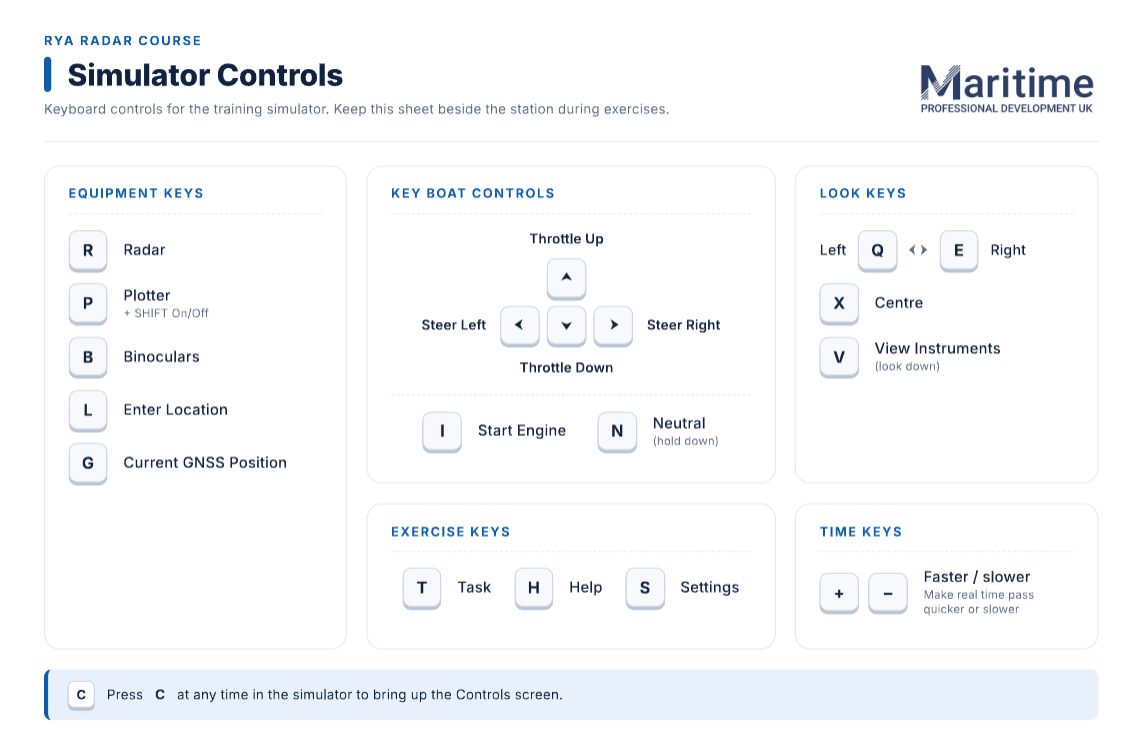
The key controls that you will need when operating the simulator are:
Control Box
C – brings up this Control box.
Remember to start the boat before you try to drive it – I (for ‘Ignition’) does the trick.
Settings Box
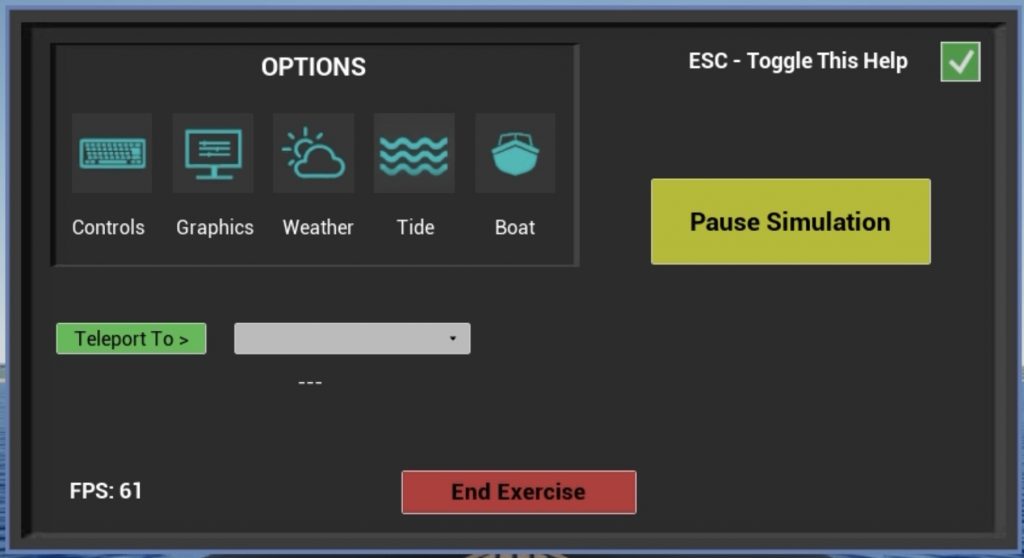
ESC – brings up the Settings box. The key features you can change are visibility and if you are in the ‘Explore Map’ zone where you can freestyle around the training world you can ‘Teleport’ between locations. Please avoid changing the Controls and Graphics settings as there is no need to adjust these.
Videos showing simulator functionality
NOTE: These videos were created when the simulator was created in 2024 so some of the functionaility has changed/improved. During Nov/Dec 2026 the simulator is being updated and new videos will be launched.
Introduction & basic functionality
This video introduces the basics of the simulator functionality.
Simulator features for navigation
The video introduces the aspects of the simulator that are relevant for navigation.
Collision avoidance and target tracking
The video introduces the aspects of the simulator that are relevant for collision avoidance and target tracking.
Tides
This video shows how as part of Exercise One changes in tidal height are reflected in changes in the radar return visible.
SART exercise
This video shows how as part of Exercise Eight the SART becomes visible.