
To log students onto the course you follow this process.
Load this page on the student’s PC/tablet – maritimesimulation.co.ukThis page will load:
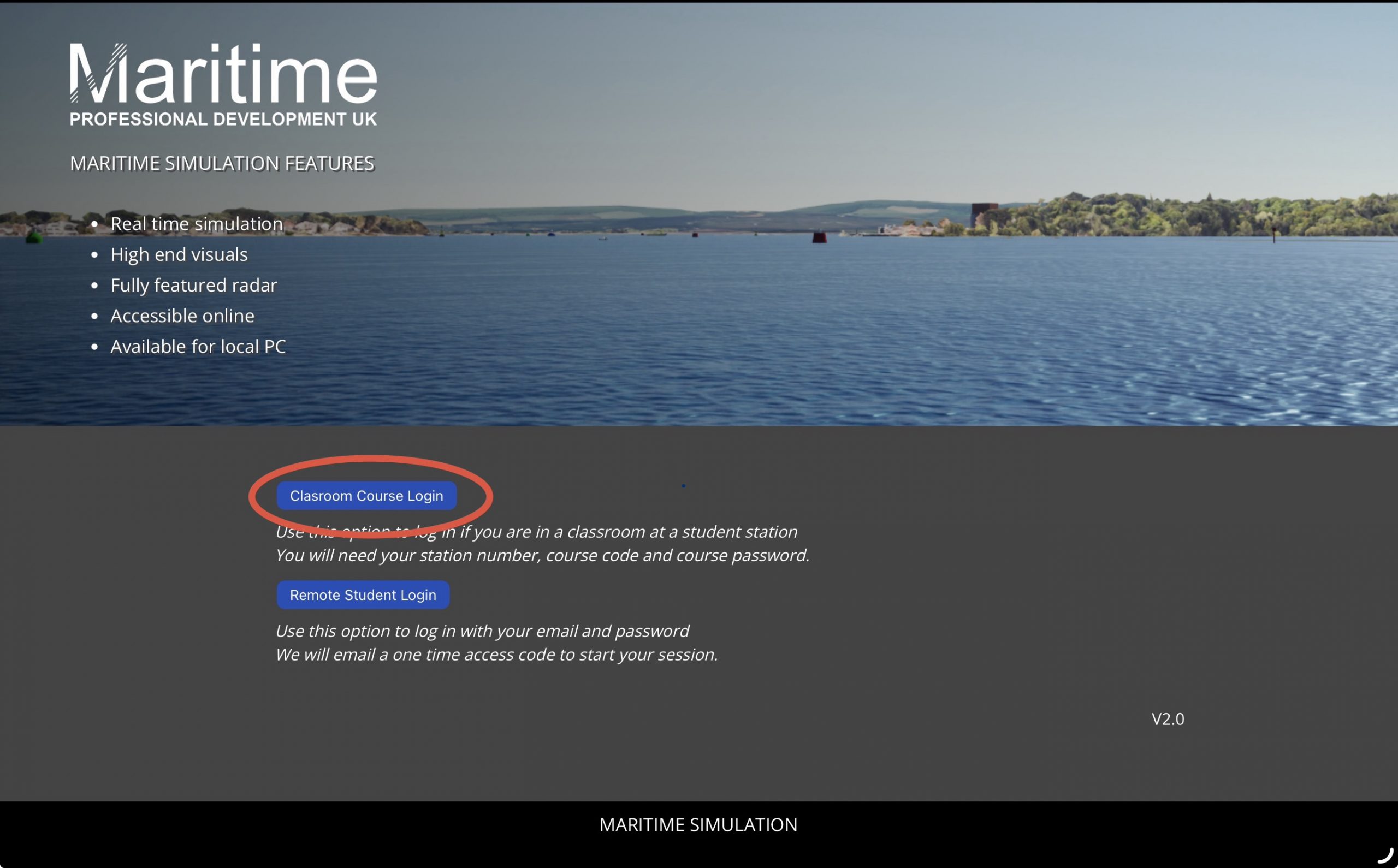
Select ‘Classroom Course Login’. This will load this page:
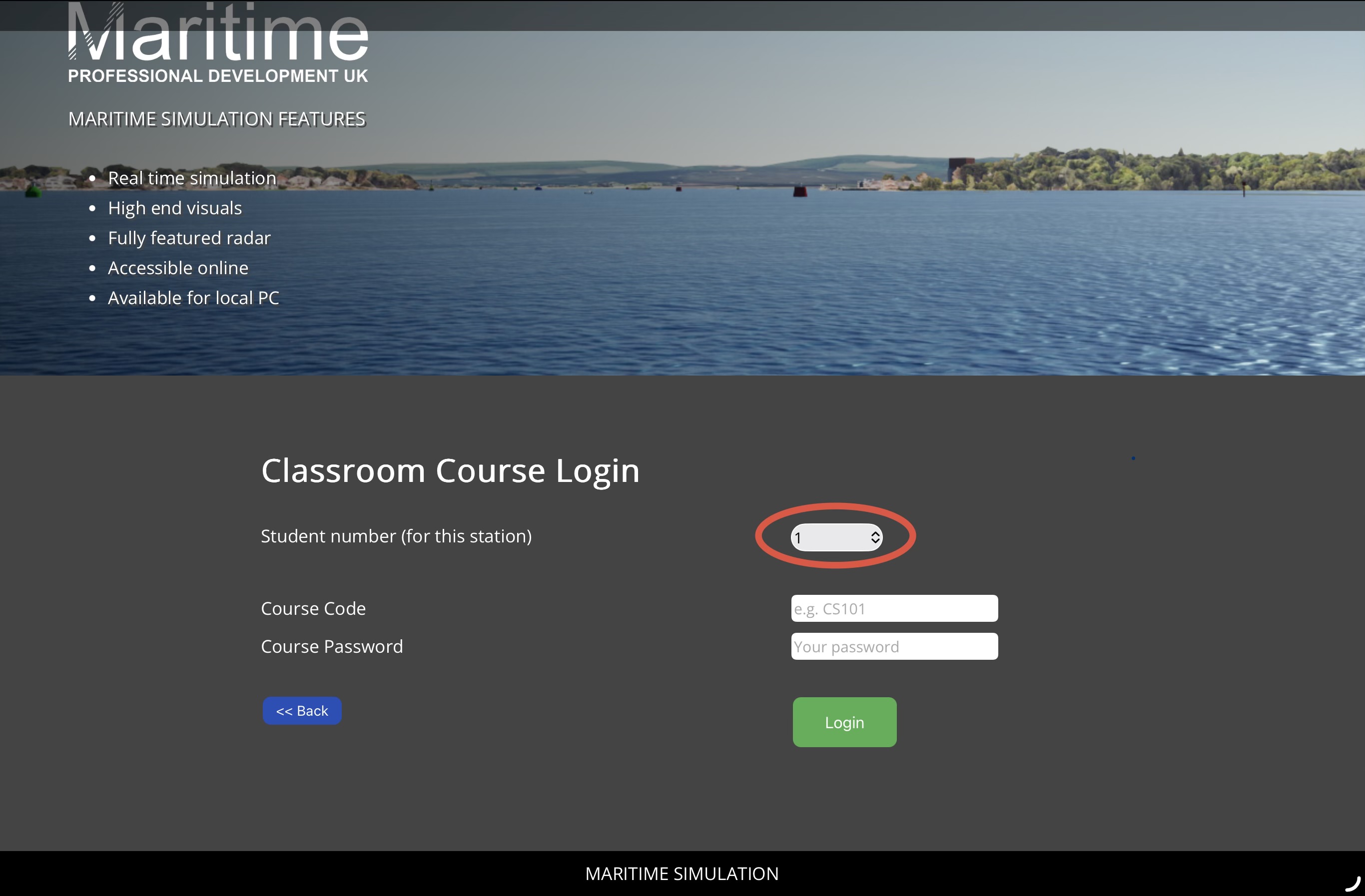
Select the student number for the station that you are positioned at. Enter the ‘Course Code’ and ‘Course Password’. Select ‘Login’.
Important: Make sure you choose a different ‘Student number’ for each station
Select ‘Request session’. The session will be requested – this usually takes a minute or two but at busy times will need a few minutes to create the session. When the session loads it will open this screen:

Click the big arrow as soon as it pops up. Do not leave the arrow there else the session will crash as the connection to the servers is not fully established until you click the arrow. You will then get this screen:
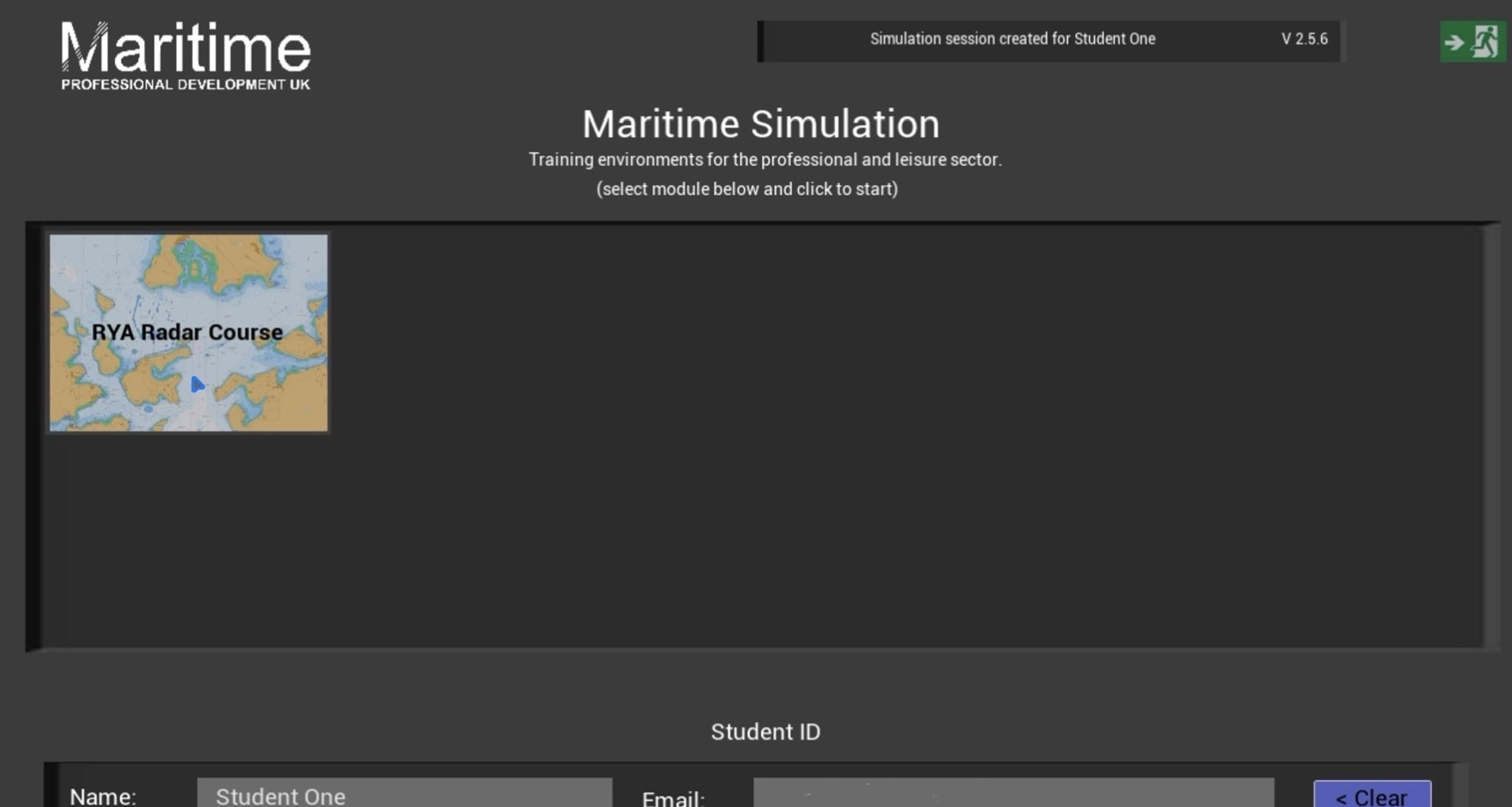
You can now run the course. We suggest that you leave the course logged in all day. If you have connection issues we suggest logging out and logging back in again as it will then connect to a new server.